
Download Chattie – No‑Code Chatbot Integration for Websites
Overview
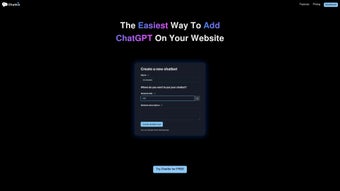
Chattie is a user‑friendly, no‑code platform that empowers website owners to embed powerful ChatGPT‑driven chatbots directly into their sites without writing a single line of code. Built for marketers, small‑business owners, and anyone who wants to add conversational AI to their digital presence, Chattie removes the technical barriers that traditionally accompany chatbot deployment. The service lets you train your bot using data harvested from your own web pages, uploaded documents, or simple copy‑and‑paste text blocks, ensuring the conversations feel personal and on‑brand.
Auto‑generated prompts guide you through the training process, so even beginners can achieve sophisticated results in minutes. Beyond the core chatbot engine, Chattie offers a full‑featured theme editor with CSS support, a real‑time dashboard that tracks user interactions, and a range of subscription plans that scale from hobbyist projects to enterprise‑grade deployments. Whether you need a simple help‑desk assistant or a fully white‑labelled AI ambassador, Chattie provides a secure, regularly updated solution that works across Windows, macOS, Android, and iOS browsers.
Its intuitive interface, combined with robust analytics, makes it a compelling choice for anyone looking to boost engagement, capture leads, and deliver instant support without the overhead of custom development. In addition, Chattie’s cloud‑based architecture guarantees that every improvement, security patch, or new feature is instantly available to all users, eliminating the need for manual updates and keeping your chatbot future‑proof.
Key Features & Capabilities
- No‑Code Integration: Drag‑and‑drop widget or simple script snippet that can be placed on any website platform (WordPress, Shopify, Wix, custom HTML, etc.).
- Custom Training Data: Import data from web pages, PDFs, DOCX files, or paste plain text to teach the bot specific knowledge about your products, services, or policies.
- Auto‑Generated Prompts: Built‑in prompt generator suggests optimal phrasing for training, reducing the learning curve for non‑technical users.
- Full Theme Editor: Visual editor with live preview and complete CSS control lets you match the chatbot’s colors, fonts, and layout to your brand identity.
- Analytics Dashboard: Real‑time metrics on conversation volume, user satisfaction, common intents, and drop‑off points help you refine both the bot and your website content.
- White‑Labeling Options: Remove Chattie branding, use custom domain URLs, and add your own logo for a seamless brand experience.
- Chat History & Export: Store conversation logs, export CSV reports, and integrate with CRM or help‑desk tools for follow‑up.
- Scalable Plans: From a free tier with limited messages per month to enterprise plans with unlimited interactions, multiple languages, and priority support.
- Security & Compliance: Data is encrypted in transit and at rest, with GDPR‑compatible data handling and regular security audits.
- Cross‑Platform Compatibility: Works on all modern browsers and mobile devices, ensuring visitors on Windows, macOS, Android, or iOS can interact without friction.
Each feature has been designed with both simplicity and depth in mind. For example, the Theme Editor not only offers a palette of pre‑built templates but also an advanced CSS pane for developers who want pixel‑perfect control. The Analytics Dashboard aggregates data into intuitive charts, allowing you to spot trends such as peak interaction times or recurring user questions, which can then be fed back into the training module to improve response accuracy. Security is a cornerstone of Chattie; beyond encryption, the platform supports role‑based access controls so teams can safely share bot management responsibilities without exposing sensitive data. Whether you are a solo entrepreneur or part of a large corporate team, these capabilities scale to meet your operational needs while maintaining a consistent, high‑quality user experience.
Installation, Usage & Compatibility
Step‑by‑Step Installation
- Create an Account: Sign up on Chattie’s website using an email address or social login. Verify your email to unlock the dashboard.
- Select a Plan: Choose a free tier to test or upgrade to a paid subscription for higher message limits and white‑label features.
- Generate the Widget Code: In the dashboard, click “Add New Bot,” configure basic settings (name, greeting, language), and click “Generate Snippet.” Copy the JavaScript snippet provided.
- Insert into Your Site: Paste the snippet just before the closing
tag of your website’s HTML. For CMS platforms, use the custom HTML block or a dedicated plugin. - Train Your Bot: Upload files, point to URLs, or paste text in the “Training Data” section. Use the auto‑prompt suggestions to refine the bot’s responses.
- Customize Appearance: Open the Theme Editor, adjust colors, fonts, and positioning. If you need precise styling, switch to “Advanced CSS” mode and write custom rules.
- Launch & Monitor: Activate the bot, then visit your site to test the conversation flow. Use the Analytics Dashboard to monitor real‑time usage and tweak training data as needed.
- Iterate & Optimize: Based on analytics, continuously add new training snippets, adjust intents, and refine the UI to improve conversion rates and user satisfaction.
Operating System & Browser Support
Chattie’s widget runs entirely in the client’s browser, making it independent of server‑side operating systems. It is fully compatible with:
- Windows 10, 11 (Edge, Chrome, Firefox, Safari)
- macOS Monterey, Ventura (Safari, Chrome, Firefox)
- Android 8+ (Chrome, Firefox, Samsung Internet)
- iOS 13+ (Safari, Chrome)
Because the integration relies on standard JavaScript and CSS, there is no additional software to install on the server side, and updates to the chatbot are delivered automatically by Chattie’s cloud service. This ensures that you always have the latest security patches and feature enhancements without manual intervention. The widget also gracefully degrades on older browsers, showing a simple contact form if JavaScript is disabled, which preserves lead capture capabilities even in constrained environments.
Pros, Cons & Frequently Asked Questions
Pros
- Zero‑code setup – ideal for non‑technical users.
- Rich training options using existing website content.
- Full CSS control for brand‑consistent appearance.
- Comprehensive analytics help optimize user experience.
- Scalable pricing plans from free to enterprise.
- Secure, GDPR‑compliant data handling.
- Instant cloud updates keep the bot current.
- White‑labeling removes vendor branding on higher tiers.
- Multi‑language support for global audiences.
- Responsive design works on desktop and mobile devices.
Cons
- Advanced customization may require basic CSS knowledge.
- Free tier limits monthly message volume.
- Some integrations (e.g., direct CRM sync) are only available on higher‑tier plans.
- Initial training data preparation can be time‑consuming for large sites.
- Performance depends on the visitor’s browser and internet speed.
Frequently Asked Questions
Do I need a developer to install Chattie?
No. Chattie is designed for a no‑code experience. You only need to copy a short JavaScript snippet into your site’s HTML, which most website builders allow through a custom code block.
Can I train the chatbot with confidential data?
Yes. All data uploaded to Chattie is encrypted in transit and at rest. The platform complies with GDPR and offers enterprise plans with additional data‑processing agreements for heightened confidentiality.
How does pricing work for high‑traffic sites?
Chattie offers tiered subscriptions based on the number of monthly chatbot interactions. For very high traffic, you can negotiate a custom enterprise package that includes unlimited messages, priority support, and dedicated account management.
Is there a way to remove the Chattie branding?
White‑labeling is available on paid plans starting from the Professional tier. This removes the Chattie logo, lets you use a custom domain, and allows full branding control.
What kind of support does Chattie provide?
All users have access to a knowledge base and community forum. Paid subscribers receive email support, and higher tiers get live chat and phone assistance with a guaranteed response time.
Can I integrate Chattie with my existing CRM?
Yes. Chattie offers native connectors for popular CRMs such as HubSpot, Salesforce, and Zoho on Professional and Enterprise plans. You can also use Zapier or Webhooks for custom integrations.
Overall Rating: 4.5 / 5
The combination of a truly no‑code setup, powerful training options, and deep analytics makes Chattie a standout choice for website owners looking to add conversational AI quickly and securely.
Conclusion & Call to Action
In a digital landscape where instant, personalized communication can be the difference between a bounce and a conversion, Chattie offers a practical, secure, and affordable way to bring ChatGPT‑powered chatbots to any website. Its no‑code philosophy removes the traditional barrier of hiring developers, while the robust feature set—ranging from custom training data to a full CSS‑enabled theme editor—ensures that the chatbot feels like a native part of your brand. Whether you’re a small‑business owner looking to field FAQs, an e‑commerce store aiming to boost sales, or an enterprise seeking a white‑label AI assistant, Chattie scales to meet those needs. The built‑in analytics give you actionable insights to continuously improve user experience, and the subscription model lets you start for free and upgrade as your traffic grows.
Ready to transform your website into an interactive, AI‑driven hub? Download Chattie now and start building a smarter, more engaging online presence today. With a free trial and secure, regular updates, there’s no reason to wait.



.png)



